Dayforce
- 4.6
- Rating
- 5.00M
- Installs
- Free
- Price

 Analysis by App-foxy
I see Dayforce as a practical work companion rather than a complete business-management tool. It is designed for employees who need to keep track of work life away from a desk, and that focus makes it useful when the right information is already connected to an employer’s Dayforce setup. My overall view is positive: the app can reduce small workplace chores, but its value depends heavily on what an organization has enabled and how accurately that organization maintains its information.
That distinction matters before you install it. Dayforce is a free business app from Dayforce, available for an Everyone audience, and it has built a substantial user base with more than five million installs. Its average rating sits at 4.5 from roughly 146 thousand ratings, with about 19 thousand written reviews. Those figures suggest that many people find it dependable enough for routine work tasks, although they should not be mistaken for a guarantee that every employer’s configuration will feel equally complete.
What Dayforce feels like in everyday work
I find the best way to judge Dayforce is to look at the moment you’d reach for it: perhaps you’re planning tomorrow around a shift, or need to check a work detail while away from your computer. That makes the key decision less about how many tools an app offers and more about whether your employer’s setup supports the tasks you actually handle. The next section looks at how that connection shapes the everyday experience.
You May Also Like

 Blood Strike: 2.5 Anniversary
Blood Strike’s Loadouts Turn Every Drop Into a Tactical Gamble
A close look at Blood Strike’s custom loadouts: how fast access to signature weapons reshapes its battle royale rhythm, rewards preparation, and narrows the gap between fights.

 Pandora - Music & Podcasts
Pandora’s Music Is Easy to Start, but Harder to Recover
Pandora’s strength is its low-effort path from a seed to a station. Its weak spot is how much confidence it asks you to place in connection, setup, and quiet recovery.

 8 Ball Pool
 Is Built on Rivalries, Rematches, and Routine
A close look at the rivalries, rematches, shared routines, and unanswered safety questions that turn a quick pool match into a persistent mobile community.

 Samsung Music
’s Quiet Strength Is Playing What You Already Own
Its reach comes less from spectacle than from dependable access to a personal library. That simplicity is both the app’s strongest retention engine and its ceiling.

 AccuWeather: Weather Radar
AccuWeather Review: A Quick, Clear Forecast for Everyday Decisions
For everyday plans, the best forecast is the one you can understand quickly. AccuWeather makes rain timing, radar, and local conditions easy to act on, with a few trade-offs.

 Hill Climb Racing
Why Hill Climb Racing Still Turns Crashes Into One More Run
A tiny car, a bumpy hill and one more upgrade: Hill Climb Racing keeps resurfacing because its simple chaos makes every near-miss feel personal.
More From Our News Desk



A single place for routine employee tasks
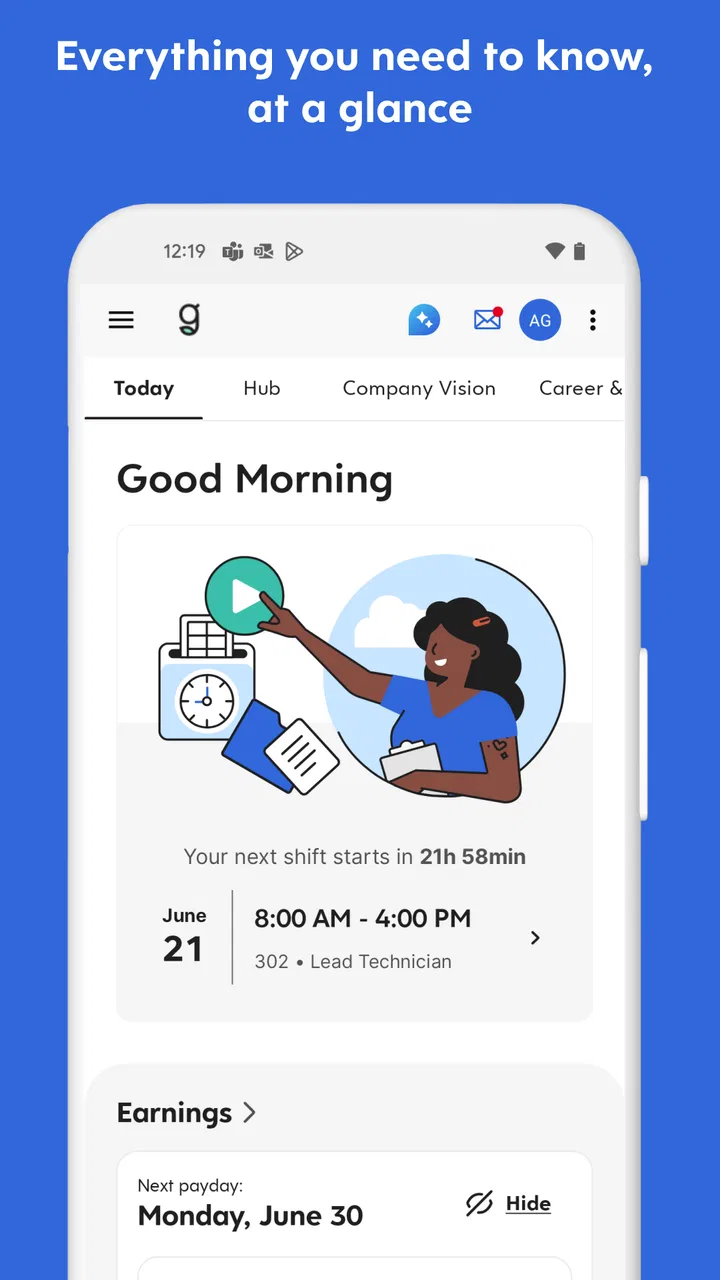
When I think about the app’s strongest role, I picture someone checking work information between errands, before leaving home, or during a short break. Instead of waiting until a computer is available, the employee can use a phone as the access point for the workplace services their employer provides through Dayforce. That is the central convenience: less dependence on a desktop for ordinary work-life administration.
The experience is most convincing when a task is time-sensitive but not complicated. A worker may want to review a schedule before arranging childcare, check a work-related item before commuting, or handle an administrative step while away from the office. In those moments, a mobile business app is not trying to replace every workplace system. It is removing the friction of having to remember the task until the next time a larger screen is available.
I also appreciate that Dayforce belongs to the category of tools people use repeatedly but briefly. It is not the sort of app I would open for entertainment or exploration. Its success is measured by whether I can find the relevant work information quickly, understand what action is available, and close the app without turning a simple question into a longer project.
Why the employer connection changes the experience
The most important practical point is that Dayforce is not equally useful as a standalone download for everyone. Its usefulness comes from its connection to an organization’s workplace account. If your employer does not use Dayforce, installing the app alone will not turn it into a general-purpose employment organizer. If your employer does use it, the available experience can reflect that organization’s setup rather than a universal package that looks identical for every worker.
This is also why two people can have very different opinions about the same app. One employee may see a well-organized mobile route into daily work information, while another may encounter only the parts their organization has chosen to make available. I would check with an employer or workplace administrator before spending time troubleshooting access. That simple step can prevent the common mistake of treating an account or configuration issue as an app failure.
For new users, I recommend starting with one clear goal rather than trying to understand every area at once. Sign in, identify the functions you expect to use most often, and test them during a normal workday. This reveals more than casual browsing because it shows whether the app fits your actual routine: checking something before a shift, reviewing information while traveling, or completing a small work-related action without a computer.
The small workflow advantage
One non-obvious strength is the way mobile access changes the timing of decisions. A schedule or work detail is more useful when it is available at the moment you are planning your day, not several hours later at a desk. That can help with transport, family arrangements, appointments, and shift preparation. The app’s value is therefore not only in what it displays; it is in making work information available while real-life decisions are still being made.
A second insight is that the phone can act as a boundary between work administration and the rest of the employee’s day. Rather than keeping a separate collection of notes, screenshots, and reminders, a worker can use the official workplace channel as the place to verify current information. I would still avoid relying on memory or old screenshots when details change. The safer habit is to open the current information when a decision matters, especially before traveling or committing to another appointment.
A third trade-off is speed versus screen size. The phone is excellent for quick checks and short actions, but it is not automatically the best place for anything that requires extended reading, careful comparison, or detailed review. I would use Dayforce for immediate access and switch to an employer’s desktop workflow when the task becomes visually dense. That is not a weakness unique to this app, but it is important when deciding whether mobile access will genuinely improve your routine.
Where the experience can become frustrating
The main limitation is dependency. Dayforce cannot compensate for incomplete workplace information, unclear internal procedures, or an employer account that has not been configured for the tasks an employee expects. A polished mobile interface can make access easier, but it cannot decide which details an organization should publish or how quickly those details should be updated.
There is also a learning curve created by workplace variation. A colleague’s screen may not match yours, and advice that works for one organization may not apply to another. I would be cautious about assuming that a missing option is hidden somewhere in the interface. Sometimes the relevant function simply is not part of the setup available to that employee. Asking the workplace administrator is often more productive than repeatedly reinstalling the app.
Another point of friction is the need to treat work-account access carefully. Because this is a business tool, I would avoid signing in on a shared device and would keep the phone’s normal security protections enabled. I would also avoid storing sensitive workplace details in personal notes just to create a backup workflow. The convenience of mobile access is strongest when the official app remains the source being checked, rather than becoming one more place where information is copied and can become outdated.
Users should also keep expectations realistic about support. An app developer can maintain the software, but an employer or workplace administrator may control account setup, available functions, and the accuracy of work information. When something does not look right, it helps to separate the problem into two questions: is the app behaving incorrectly, or is the workplace account showing what the organization configured? That distinction can save considerable time.
How it compares with familiar alternatives
Compared with paper notices, personal calendars, or informal messages from coworkers, Dayforce has the advantage of being a more official place to check work-related information. Those alternatives can be useful as reminders, but they are easy to lose, mistype, or leave unupdated. I would use a personal calendar for planning around work, not as the final authority for what the employer currently shows.
Compared with a desktop employee portal, the mobile app offers better availability when I am away from a computer. The desktop option may still be preferable for longer sessions, broader navigation, or tasks that require more room. In my view, Dayforce works best as a companion to the larger workplace system, not as proof that every employee task should move to a phone.
Compared with generic scheduling or productivity apps, Dayforce has a more direct relationship with the workplace account. A generic calendar can organize commitments beautifully, but it cannot replace the employer’s own source of work information. The trade-off is flexibility: a personal tool may be easier to customize, while Dayforce is more relevant when the goal is checking official workplace details.
Who should use it, and who should skip it
I would recommend Dayforce to employees whose organization already relies on the platform and who regularly need work information while away from a desk. It is especially suitable for people whose days involve changing locations, variable schedules, commuting decisions, or frequent planning around work. The app makes the most sense when mobile access solves a real inconvenience rather than when someone is merely looking for another productivity app.
It is also a good fit for workers who prefer verifying information at the source instead of depending on old messages or handwritten reminders. The best routine is simple: use the app to check current work information, use a personal planner to organize the rest of your day, and return to the official source whenever the two appear to disagree.
I would skip it if your employer does not use Dayforce, if you need a fully independent task manager, or if your main goal is detailed project collaboration. This is not the right choice for replacing a team chat service, a personal calendar, or specialized business software. It is also less compelling for someone who always works at a computer and has no need to access workplace information elsewhere.
Before relying on it, I would answer four practical questions for myself. Does my employer provide a Dayforce account? Which work functions are actually available to me? Will I use mobile access often enough to justify another sign-in? And do I have a larger-screen alternative for tasks that are uncomfortable on a phone? Clear answers make the installation decision much easier.
Version, availability, and long-term practicality
The current version is 2026.3.0, and the app requires Android 10 or later. That requirement is worth checking before installation, particularly if you keep an older phone for work. On supported devices, the free price removes the financial barrier, but the real prerequisite is still an active workplace connection rather than payment.
Dayforce has been available since September 15, 2011, which gives it a long history as a work-focused mobile product. I would interpret that longevity as useful context, not as a promise that every release will feel perfect. Business apps evolve alongside employer systems, and a change that improves one organization’s workflow may not noticeably affect another employee’s daily use.
My practical advice is to keep the app updated through the normal device store process, test the functions you actually depend on, and maintain a backup way to contact your workplace when access fails. That backup is not a criticism of Dayforce; it is sensible planning for any account-based work tool. A phone, network connection, or workplace login can become unavailable at an inconvenient time, so important decisions should not depend on a single screen.
My final recommendation
Dayforce is most valuable when it turns a workplace account into a quick, dependable part of everyday planning. In my experience, that is a narrower promise than “manage everything about work,” but it is also a more honest one. The app can save time, reduce reliance on paper or informal messages, and make work information easier to reach when a computer is not nearby.
Its limitations are equally clear: the employer controls much of the experience, mobile screens are not ideal for every task, and installation by itself does not create useful workplace access. I would recommend it confidently to employees whose organizations already use Dayforce and whose routines benefit from checking work information on the move. I would choose a generic productivity tool or a desktop portal instead when independence, customization, or detailed work is the priority.
For the right employee, Dayforce is a sensible free business app that earns its place through convenience rather than spectacle. It does not need to do everything to be useful. It only needs to make the few work-life tasks you repeat most often easier to handle at the moment you need them.
FAQs for Dayforce
01What is Dayforce, and what features does it offer?
Dayforce is a comprehensive human capital management (HCM) platform designed to streamline various HR processes. It offers features like payroll, workforce management, talent management, and employee self-service. The app is designed to enhance productivity and ensure compliance, making it an essential tool for businesses seeking to optimize their HR functions.
02Is Dayforce available for both Android and iOS devices?
Yes, Dayforce is available for both Android and iOS platforms. Users can download the app from the Google Play Store or the Apple App Store. The mobile app provides a seamless experience, allowing employees and managers to access essential HR functions on the go, ensuring connectivity and efficiency.
03Can I use Dayforce for managing payroll and benefits?
Absolutely, Dayforce includes robust payroll and benefits management features. It automates payroll processes, ensuring accurate and timely payments. Additionally, it allows employees to view their benefits information, enroll in plans, and manage elections directly from the app, simplifying HR management for both staff and administrators.
04How secure is Dayforce in handling sensitive employee data?
Dayforce prioritizes security by implementing advanced encryption methods and compliance with industry standards. The app ensures that sensitive employee data is protected against unauthorized access. Regular updates and security protocols help safeguard information, providing peace of mind for businesses and employees alike.
05Does Dayforce support multiple languages and currencies?
Yes, Dayforce supports multiple languages and currencies, making it suitable for global organizations. This feature allows businesses to cater to their diverse workforce efficiently. The app's flexibility in handling different languages and currencies ensures it can meet the unique needs of international employees and comply with regional regulations.
Pros
- Intuitive user interface for easy navigation.
- Comprehensive employee self-service features.
- Efficient payroll and tax processing tools.
- Robust analytics and reporting capabilities.
- Seamless integration with third-party apps.
Cons
- Occasional glitches with mobile app updates.
- Limited offline access for certain features.
- Complex setup process for new users.
- Customer support response times vary.
- Some features require additional fees.

Dayforce
Gallery